Plain analyses your team, your rules and your real demand to automatically generate the most efficient schedule — no errors, no gaps, no last-minute improvisation.
How it works
Plain only needs two things to generate the optimal schedule for your team.
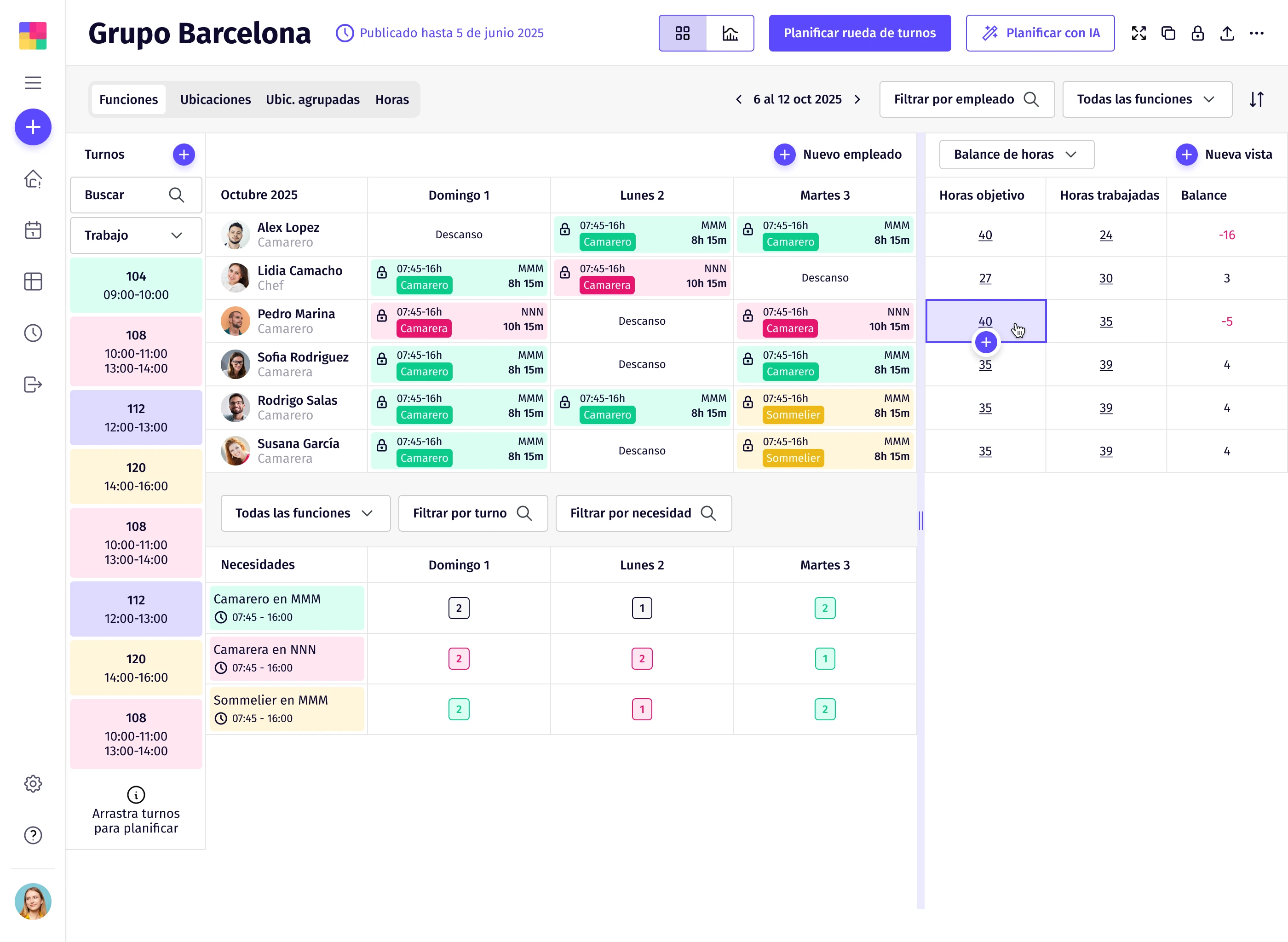
Specify which days and time slots each person can work. Plain takes into account contracts, part-time arrangements and individual preferences.
Define how many people you need per shift, with which role and at which location. Plain covers every slot with the most efficient combination.
Every company has its own rules. Plain lets you configure in detail all the conditions that affect scheduling, from collective agreements to individual preferences. The AI respects all of them when generating each schedule.
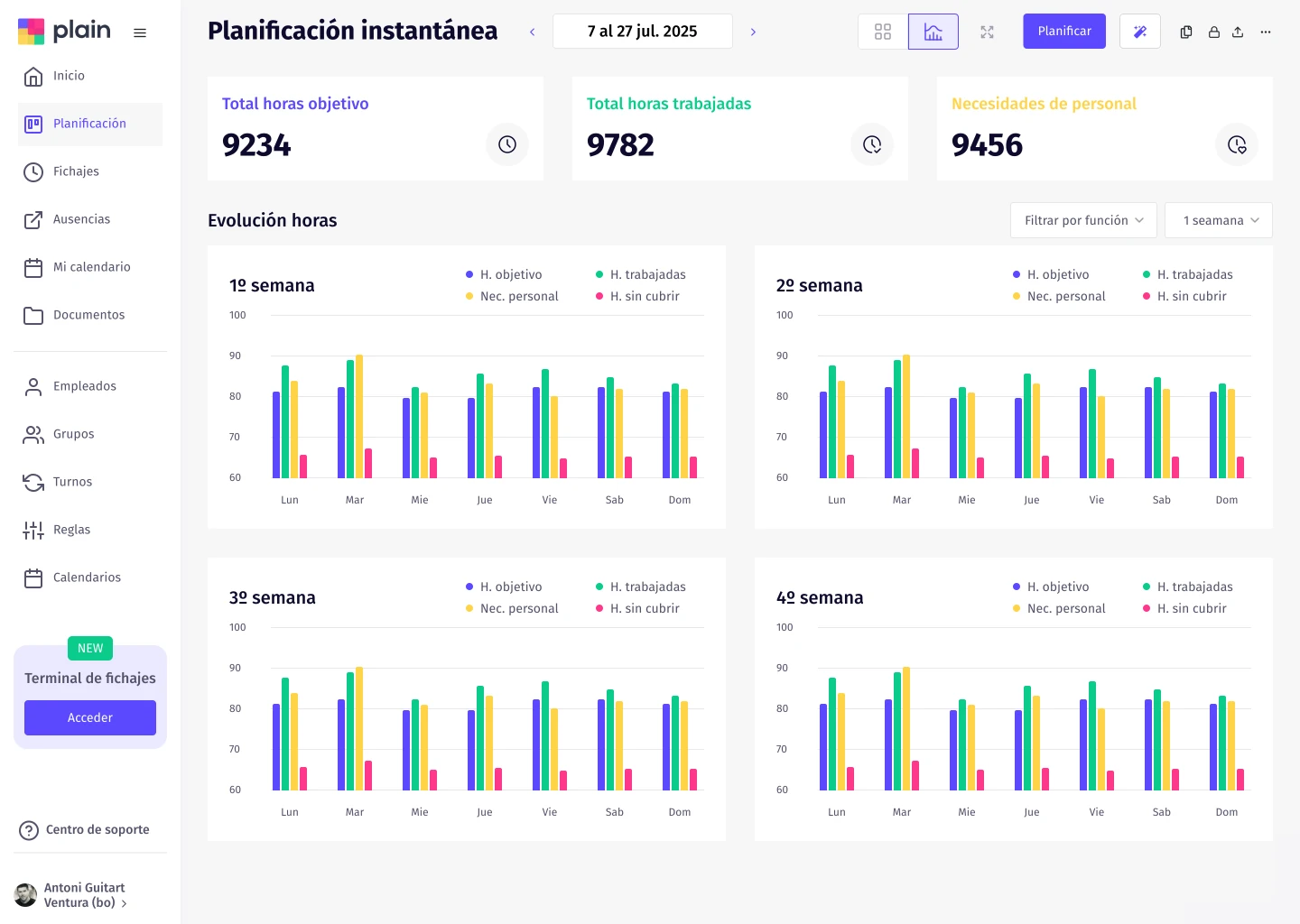
Plain's forecast uses historical activity data, revenue and operational patterns to anticipate how many people you need for each shift and each time slot throughout the day.
Using variables such as customer volume, demand peaks, average transaction values and hourly patterns, Plain calculates staffing scenarios and feeds that forecast directly into the schedule. HR and Operations stop estimating by gut feel.
The information is presented visually and clearly, making it easy to adjust before operational pressure builds: add cover where it's needed, control costs where it isn't.
When requirements vary across roles, lines of work or locations, scheduling becomes fragile and hard to scale. Plain lets HR clearly define which profiles are needed, in what numbers and at each location, so the plan reflects operational reality.
Operational requirements are managed by role and by site — production lines, stores, service areas or specific zones — and the AI takes them into account automatically when generating shifts. This prevents common mismatches like overstaffed sites alongside understaffed ones.
The result is a schedule aligned with actual operations, ensuring coverage where it's needed and giving HR a clear, controlled view of the whole picture, even in distributed environments.
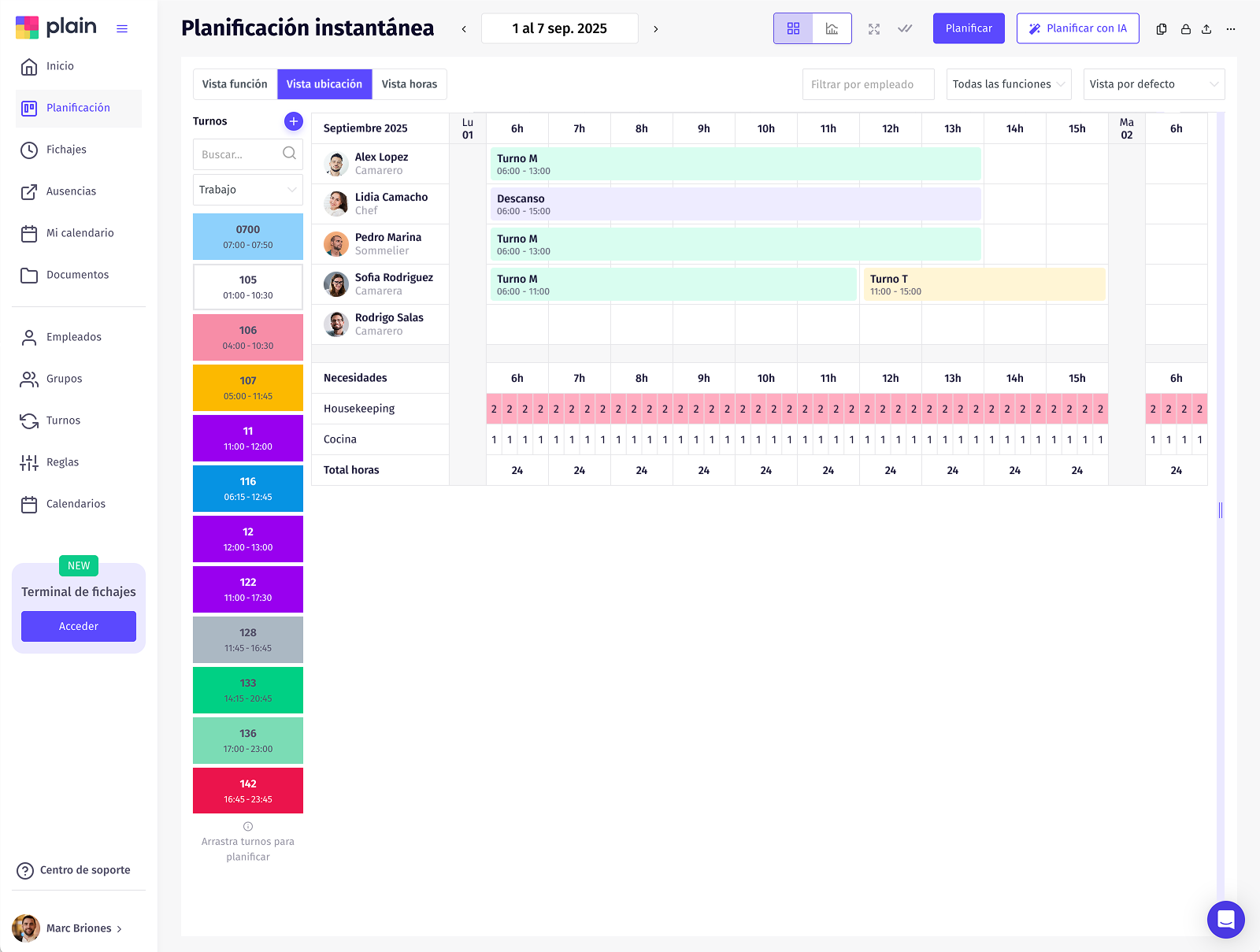
When scheduling gets complex, the challenge is not just creating shifts — it's understanding them. Plain offers multiple planning views so HR can analyse coverage by role, location or time slot, without duplicating work or losing context.
Role and location views let you quickly spot mismatches between requirements and assigned staff, while the hourly view with 15-minute granularity gives real visibility into peaks, overlaps and gaps that often go unnoticed.
The result is more precise, actionable scheduling that lets you adjust shifts with confidence, anticipate problems and maintain operational control even in complex environments.
When scheduling and time tracking are separate, HR loses visibility and discrepancies emerge that are hard to explain. Plain integrates time tracking directly with scheduling to ensure that what was planned and what was worked match from day one.
The system includes check-in terminals, geolocation and automatic alerts for non-compliance or deviations from the assigned shift. It detects incidents in real time, without manual reviews or after-the-fact checks.
Plain automatically detects when an employee checks in outside an authorised location, is late or fails to check in. Alerts reach the manager without any manual review, allowing action before an incident escalates.
Plain automatically generates the working time records required by law, with full traceability of every change. The result: guaranteed regulatory compliance and no legal surprises for HR.
View Time tracking in detailOne of the biggest pain points in shift management is when what's scheduled doesn't match payroll. Miscalculated overtime, shift premiums or holidays end up causing errors, rework and internal disputes. Plain connects shift scheduling with real payroll variables to eliminate mismatches from the start.
Plain's AI accounts for items like hours worked, night shifts, holidays and overtime, and prepares them for direct integration with HR and payroll systems. No manual exports, no subsequent corrections.
Automatically calculated variables
Native integration with
When scheduling involves contractual changes or formal approvals, Plain integrates with Signaturit so documents are sent and signed digitally within the same HR workflow — no printing, no chasing signatures, no operational disruption.
20 features designed so HR can schedule better, faster and without errors.
You enter your team's availability, define how many people you need for each shift and configure the constraints (rest periods, agreements, preferences). Plain automatically generates an optimal schedule ready to publish.
No. Plain is designed so that any manager or team lead can use it from day one. The interface is intuitive and the onboarding is guided step by step.
Plain works for any company with shift-based teams: retail, hospitality, healthcare, industry, supermarkets and more. From 10 employees to large organisations with multiple sites.
Plain has two plans: Basic from €2.50 per employee/month and Pro from €4 per employee/month. No lock-in, no small print. See all pricing →
In 30 minutes we'll show you how Plain can transform shift management at your company. No commitment, no jargon.